A free, open-source download manager

Your file arrives whole, however far it comes from

Zajil splits a file into parts and downloads them at the same time, and goes on from where it stopped if the connection drops. Its interface is Arabic first, right to left, with English too, on Windows, macOS and Linux.

  • Completely free
  • GPL-3.0 licence
  • No ads, no tracking
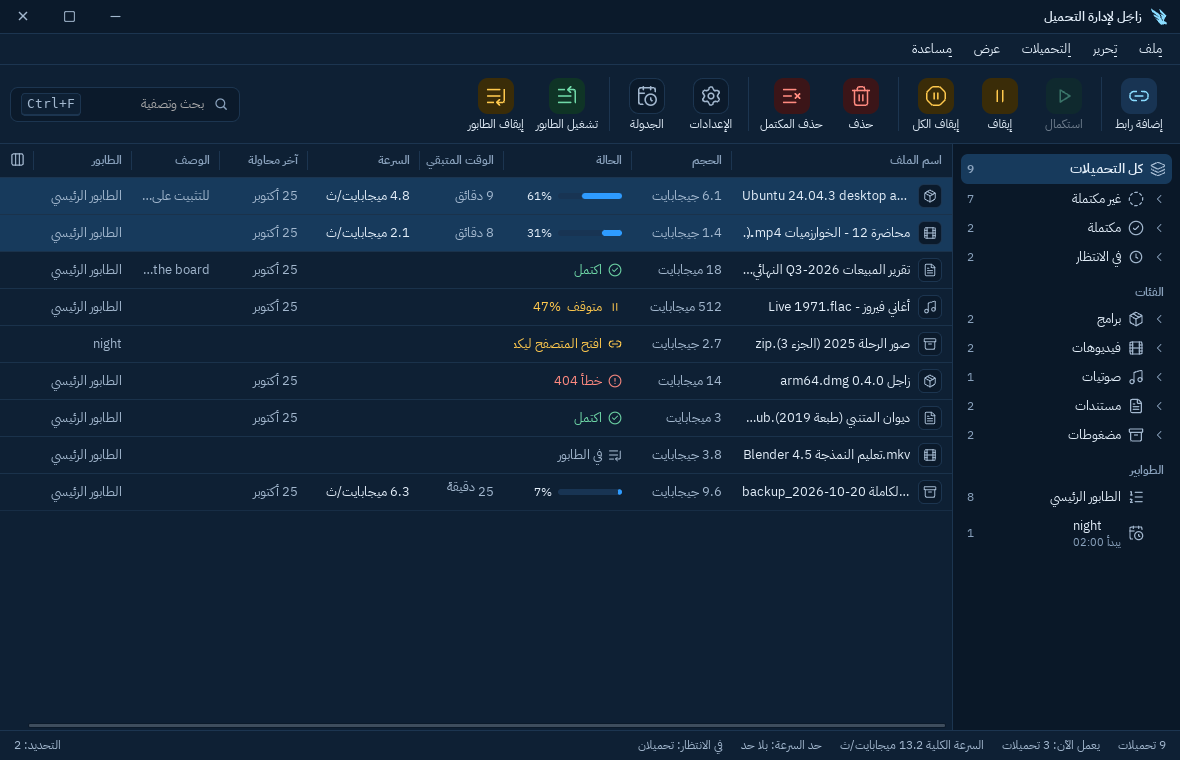
Zajil's main window in Arabic, light mode: the list of downloads with size, status and speed, and a side tree of categories and queues Zajil's main window in Arabic, dark mode: the list of downloads with size, status and speed, and a side tree of categories and queues

Named after the homing pigeon

Zajil is Arabic for the homing pigeon, which carried messages however far they had to go. That is the name's promise: your file gets to you whole and sound, even if the connection breaks on the way.

Zajil's logo: a white pigeon diving down on a blue tile

A pigeon diving down That is the download.

Wing feathers in parallel lines Those are the parallel connections.

Watch the file arrive

Zajil splits a file into parts and opens a connection for each, up to 32. When a connection finishes its part, it takes half of what is left of the slowest part, so no connection sits idle.

algorithms-lecture.mp4 Ready to download
Connections

A simulation, to show the idea only. Real speed depends on the server and your connection, and splitting works when the server allows it.

Connection dropped? Nothing is lost

Zajil keeps what arrived as it goes. If the connection drops, or you close the program, the download goes on from where it stopped. If the link expires, give it a new link to the same file with “Refresh link”.

A sound file, never a mix

Before it goes on, Zajil makes sure the file on the server has not changed, so old and new content never mix.

Every download in its place

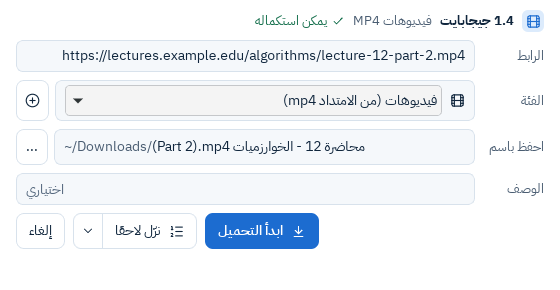
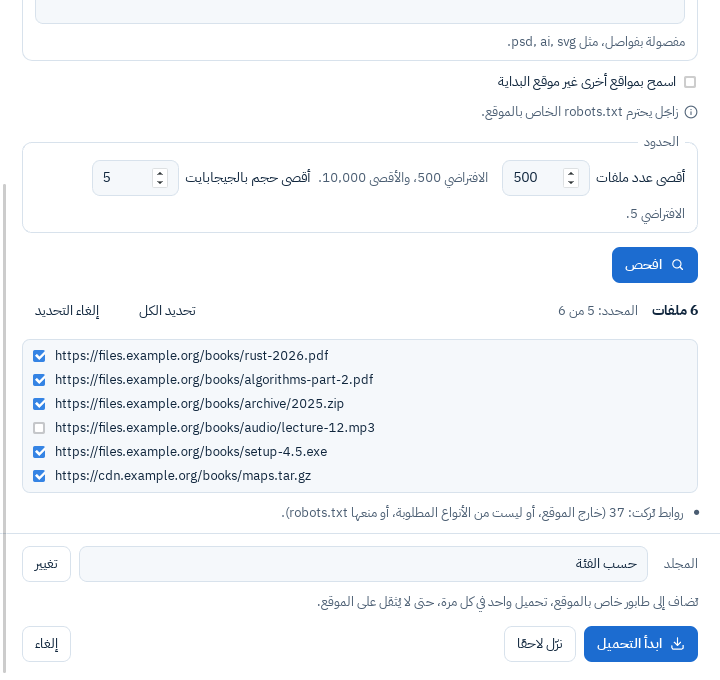
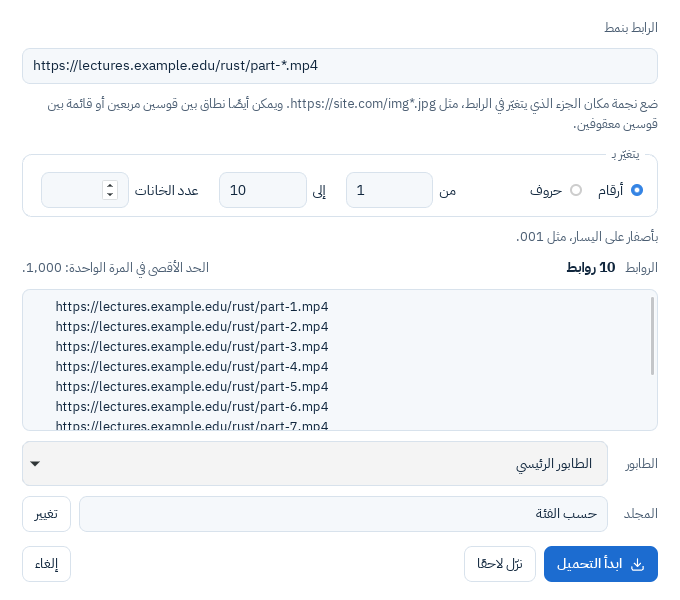
From choosing a video's quality to scheduling downloads for the night, all in one clear window.

Videos in the quality you choose, and whole playlists

The “Video quality” window shows each quality there is with its size, and “Sound only”. YouTube is supported, with a whole playlist or the videos you pick from it, and sound and picture are merged when they come apart.

The video tools are open source (yt-dlp, FFmpeg and QuickJS-NG), downloaded once when you agree. Zajil never gets around content protection: if a video is protected by DRM, it tells you so plainly.
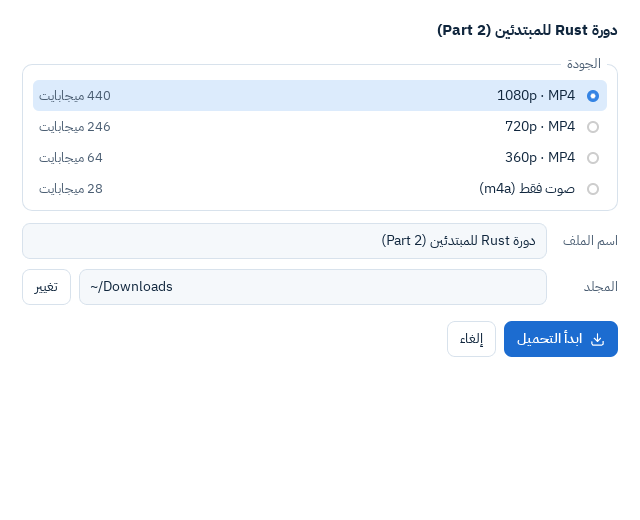
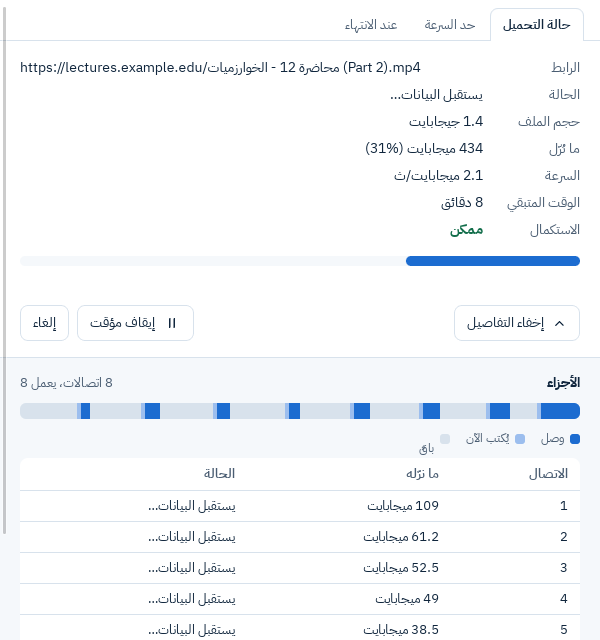
The video quality window: the qualities there are with their sizes, Sound only, the file name, the folder and a Start download button
  • Queues

    Put downloads in queues, and set how many run at once and how many times each is retried.

  • Scheduling by hour and day

    Choose when to start, when to stop, and on which days. Zajil can shut the computer down or put it to sleep when the queue ends.

  • Speed limits

    Limit the whole program or each download on its own, so your other work keeps enough speed.

  • Automatic categories

    Zajil puts each file in its category: Programs, Video, Music, Documents and Archives. Each has its own folder, and rules you can change.

Truly Arabic, and English in one click

Zajil's interface was built right to left from the start, not translated afterwards. And it switches to English in one click, without restarting the program.

All downloads

  • Programs
  • Video
  • Music
  • Documents
  • Archives

Light or dark

Choose what is easy on your eyes, or let it follow your computer. And every button in the program has a keyboard shortcut.

Zajil in light mode Zajil in dark mode

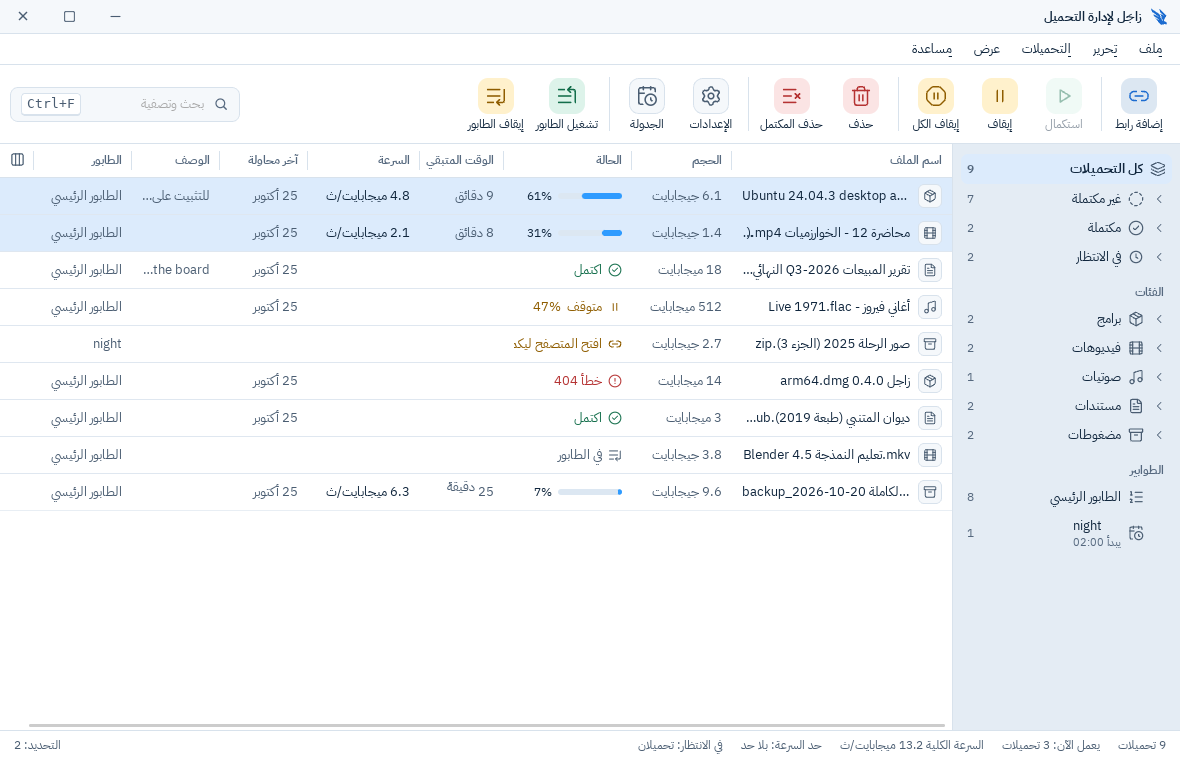
Real screenshots of the program

These are from Zajil itself, in Arabic, with test file names.

The main window in light mode: a toolbar with Add link, Resume, Stop, Delete and Scheduler, the table of downloads, and the tree of categories and queues The main window in dark mode: a toolbar with Add link, Resume, Stop, Delete and Scheduler, the table of downloads, and the tree of categories and queues

Every download in one table, with a side tree of categories and queues. Shown in the site's current mode, light or dark.

From the browser straight to Zajil

Add Zajil's extension to your browser, and downloads go to Zajil by themselves, with no links to copy.

  • Chrome
  • Edge
  • Firefox
  • It takes what you want

    By the file types you choose, and it leaves the sites you exclude to the browser.

  • From the right-click menu

    “Download with Zajil” on any link, and “Download video with Zajil” on any video.

  • A button over videos

    It shows at the top of a video and opens the “Video quality” window. On a YouTube playlist's page, a button downloads the whole list.

  • It talks to your program only

    The extension calls no server, and sends with each download only what that download needs. The details.

How to add the extension

A test video page in the browser, with a small button carrying Zajil's mark at the top of the video

Zajil delivers your files, and does not watch you

Zajil connects only to the servers of the files you download, to GitHub to learn of a new version (you can turn that off), and to download the video tools once you agree.

  • No trackingNo one knows what you download.
  • No analyticsIt collects nothing about you, and needs no account.
  • No adsAnd no paid or locked features.
  • Nothing bundledYou install Zajil alone, and nothing with it.

This site too: no cookies, no trackers, and its fonts are its own. The full privacy policy.

Get Zajil for free

Choose your system. The browser extension and the install steps are on the download page.

Your system shows a warning on first run, as Zajil is not signed by Apple or Microsoft. How to open it is in the install steps. To make sure a file is ours, compare it with the SHA-256 checksums published with each release.

Zajil's only official sources are this site, zajil.by-wow.com, and its GitHub repository. Any copy from elsewhere, one that asks for money, or one bundled with other programs, is not ours.

Open source, and everyone's

All the code is on GitHub under GPL-3.0. You can read it, change it and contribute to it. Releases are built automatically from the published code, with a checksum for each file.

FAQ

All questions

Is Zajil really free?

Yes, completely free. There is no paid version, no locked features and no ads.

Which systems does it run on?

Windows 10 and 11, macOS 11 or later, and Linux (Ubuntu 22.04, Debian 12 or later). There is no phone app.

Why does a warning show on first run?

Because Zajil is not signed by Apple or Microsoft. How to open it is on the download page, with how to check the file's checksum.

How do I connect Zajil to my browser?

Install Zajil and start it once, then add its extension to Chrome, Edge or Firefox. Downloads then go straight to Zajil, by the file types you choose. The steps.

Does Zajil collect any data about me?

No. No tracking, no analytics, no ads. The details are in the privacy policy.